
User manual





5-20
Operation
Resolution selection
Select Fast, Quality or Photo resolution using keys or , then validate the choice with the OK
key.
Remark: A Resolution key is also available for immediate selection once the slip is entered.
Contrast selection
Adjust the contrast using keys and, then validate the choice with the OK key.
Remark: A Contrast key is also available for immediate selection once the slip is entered.
DESCRIPTION OF ID CARD MODE
The IDENT. CARD copy function is used for copying both sides of an identity card or driving license
type document (size < A5) on an A4 format sheet.
This function will be available only from the flatbed scanner for local copy.
The LDC screen will display two messages: one to indicate where the original document should be
placed and another to ask the document to be turned over. These messages require validation from the
keyboard before the operation can be continued.
No zoom will be applicable for this function.
Selection of the IDENT. CARD copy mode will be possible in the local copy slip. This mode will be
accessible only if no paper is detected in the scroll scanner feeder.
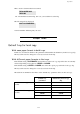
Press the 1 and OK keys.
The following will be displayed:
Press the OK key.
The following will be displayed:
Press the OK key.
The following will be displayed:
Press the OK key.
3 1 PAGE TO 9 4>>
4>> ID CARD
1>>DUPLEX/DUPLEX
2 : RESOL. : FAST
3>> RESOL . : QUALITY