
User manual





Setting your machine
3-19
Selecting the transmission type
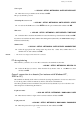
942 OK - INTERNET / SETTINGS / SEND TYPE
Select one of the send options IMMEDIATE or DURING CNX then press OK to validate.
Changing the connection period (PERIODIC type)
943 OK - INTERNET / SETTINGS / PERIOD
With the PERIODIC mode, enter the new connection period by means of the numerical
keypad (between 00:01 am and 11:59 pm) and press OK to confirm.
An Internet connection will be established every three hours (default value).
Modifying the connection time(s) (SET TIMES type)
943 OK - INTERNET / SETTINGS / TIME SETTINGS
After selecting the SET TIMES mode, use the and keys to place the cursor under the
figure to be modified. Enter the new connection time(s) by means of the numeric keypad
(value between 00:01 and 23:59) and validate with the OK key.
Selecting the print mode for the deposit notice
944 OK - INTERNET / SETTINGS / DEPOSIT NOTICE
Select one of the deposit notice options WITH, WITHOUT, ALWAYS or ON ERROR and
press OK to confirm.
Printing the Internet settings
946 OK - INTERNET / SETTINGS / PRINT
The Internet settings are printed.
These settings may also be printed together with all the other settings of your machine (refer to
paragraph Printing the machine settings, page 5-25).
Access to the authentification SMTP parameters
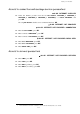
924 OK - INTERNET / INIT. PROVIDER / SMTP AUTHENT.
In the ACTIVATION menu, select WITH to activate SMTP authentification then validate with
OK key.
In the PARAMETERS menu, select ID.MESS.SERV to keep the same identification
parameters as in the messaging service or AUTHENT. SPEC. to define other identification
parameters, then validate by pressing OK key. When you select AUTHENT. SPEC, carry out
the two following operations:
Enter the IDENTIFIER then validate with OK key.
Enter the PASSWORD then validate with OK key.