User manual
Manuals
Brands
Sagem Manuals
Business equipment
MF 5660
121
122
123
124
125
126
127
128
129
130
6-8
Maintenance
Replacing the drum cartridge
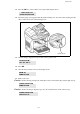
To replace the drum cartridge, proceed as shown below:
When the display shows:
1 - Open the printer cover.
CHANGE DRUM
<OK> TO CONFIRM
1
...
...
124
125
126
127
128
...
...
150