
Operation Manual


5-16
Operation
Date en cours : 22 mai 2001
\\Sct31nt3\doc 31nt3 mac\SAGEM FM\DOC EN COURS\MFK 23261430-5 36xx Sagem GB\Utilisation.fm
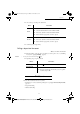
+ choose the type, according to the table below:
+ confirm deposit pressing OK key.
3ROOLQJDGHSRVLWHGGRFXPHQW
MENU : 32 - SEND / POLLING RX
+ Enter the number of the party whose document you want to poll or choose your dialling
mode (refer to paragraph Dialling, page 5/3).
Remark : You can poll several documents using the key.
+ Depending on type of poll you should:
,17(5/2&.
There are three restrictions to the use of your fax:
• Interlocking of received documents printing,refer to paragraph Fax answering machine,
page 3/5,
• Keypad interlocking,
• Numbers interlocking
0HQX 3URFHGXUH
SIMPLE
+ select FEEDER or MEMORY,
+ select the black and white mode and validate with OK,
+ if necessary, adjust the contrast and validate with OK,
+ enter the number of pages that you wish to deposit,
MULTIPLE
+ select the black and white mode and validate with OK,
+ if necessary, adjust the contrast and validate with OK,
+ enter the number of pages that you wish to deposit,
&KRLFH 3URFHGXUH
Immediate poll
+ Press ,
Postponed poll
+ Press OK,
+ Next to the current time, enter the time you wish to poll the
document and press O
K,
LIASSE 23261430-5.book Page 16 Mardi, 22. mai 2001 1:35 13