
User manual



6-14
Maintenance
Date en cours : 28 août 2002
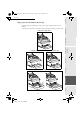
&OHDQLQJWKHSDSHUIHHGUROOHU
+
1 - Turn off the printer and unplug the power cord
+ 2 - Press the upper cover release button and open the upper cover
+ 3 - Remove the toner cartridge and the drum cartridge
+ 4 - Use a soft cloth to clean the paper feed roller
Caution - The fusing unit inside the printer can become very hot during operation. To avoid injury
- do not touch.
+ 5 - Reinstall the drum cartridge and the toner cartridge; refer to paragraph Replacing cartridges,
page ?-1
+ 6 - Close the upper cover and press it down gently but firmly until it locks into place
Fusing unit
MFL 251153211A_MF34 Sagem Gb.book Page 14 Mercredi, 28. août 2002 4:30 16