
User manual



6-12
Maintenance
Date en cours : 28 août 2002
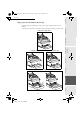
+ Insert the chip card (supplied with the drum cartridge) into the card reader ensuring that the chip
is entered as shown in the drawing below
+ The following is displayed on the scanner control panel screen:
+ Press OK
+ Once the chip card has been read, the display shows:
+ Remove the card
Caution - If the following is displayed, check that you have inserted the chip card the right way up:
CHANGE DRUM ?
YES= OK - NO= C
DRUM OK
REMOVE CARD
CANNOT READ CARD
REMOVE CARD
MFL 251153211A_MF34 Sagem Gb.book Page 12 Mercredi, 28. août 2002 4:30 16