
Operation Manual




5 - Information / Configuration
SAGEM F@st™ 1704 Reference Manual - 253272861-A Page 5-57
Sagem Communications SAS document. Reproduction and disclosure prohibited
Add
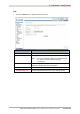
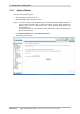
• Click on the Add button to display the following screen:
Field Action
Filter Name
Enter a representative name for the filter.
Protocol
Select the dedicated protocol from the scroll down list
(TCP/UDP, TCP, UDP, ICMP).
Source IP address
Enter the Source IP address (WAN).
Source Subnet Mask
Subnet mask.
Source Port
(port or port:port)
Enter a "Source" port (WAN) or range of ports.
Note: For one port, for example, enter 80.
For a range of ports, enter 80:90.
Destination IP address
Enter the destination IP address (LAN).
Destination Subnet
Mask
Subnet mask.
Destination Port
(port or port:port)
Enter a "destination" port (LAN) or range of ports.
Note: For one port, for example, enter 80.
For a range of ports, enter 80:90.
WAN interfaces
Field Action Default value
Select All
Check the box to select all WAN interfaces.
Note: By unchecking the box, no interface is
selected and the other WLAN/LAN
interfaces displayed boxes become
unchecked.
Checked
pppoa_0_8_35/pppoa0
Check the box to select the displayed interface.
Checked
br0/br0
Check the box to select the displayed interface.
Checked