
Operation Manual




5 - Information / Configuration
SAGEM F@st™ 1704 Reference Manual - 253272861-A Page 5-49
Sagem Communications SAS document. Reproduction and disclosure prohibited
• Check the Select a Service box, then select the service of your choice from the scroll down
list, for example "SNMP".
The External Port Start, External Port End, Internal Port Start, Internal Port End and
Protocol fields (transport protocol associated with this service) are automatically filled in
the table.
Note
You may complete the table by adding other ports associated with a protocol.
or
• Check the Custom Service box, enter the name of the server you want to connect to, then:
• Complete the ID Host of your computer's IP address (this is attributed by your router's
DHCP server).
• Fill in the External Port Start, External Port End, Internal Port Start,
Internal Port End and Protocol fields.
A few rules for entering values:
• When you want to select a single port, the start port (External Port Start or Internal Port
Start) and the end port (External Port End or Internal Port End) must be identical.
• When you want to select a range of ports, the start port number must be lower than the end
port number.
• You must always start entering with the External Port Start and External Port End ports.
• When you allocate a number to an External Port Start, the same number is automatically
allocated to the Internal Port Start and identically for External Port End.
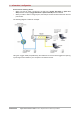
The following diagram contains an example:
The "Delta Force 2" service is available on your computer via the external ports 3568 and 3569
(WAN side) and via the internal ports 3568 and 3569 (LAN side).