
Operation Manual


5 - Information / Configuration
Page 5-44 SAGEM F@st™ 1704 Reference Manual - 253272861-A
Sagem Communications SAS document. Reproduction and disclosure prohibited
5.7.3 LAN
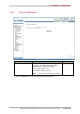
Object: This is used to configure the IP parameters for the local network (LAN).
• In the Advanced Setup menu, select LAN.
The following screen opens:
Field Action Default value
Groupname
Select the required group.
Default
IP Address
Enter the address of your local network.
192.168.1.1
Subnet Mask
Enter your network's subnet mask.
255.255.255.0
Enable IGMP Snooping
Check this box to activate the IGMP (Internet
Group Management Protocol) protocol. This
lets you manage the declarations of belonging
to one or more groups with Multicast routers.
Not checked
Standard Mode
14
Check the box if you wish the IGMP snooping
runs in normal mode (transparency with IGMP
frames).
Checked
Blocking Mode
14
Check the box if you wish the IGMP snooping
runs in blocking mode (interception and
removal of IGMP frames).
Not checked
Enable LAN side firewall
Check the box to activate the LAN side
firewall.
Not checked
14
These fields only appear when the “Enable IGMP Snooping” field is activated (box checked).