
Operation Manual


5 - Information / Configuration
Page 5-38 SAGEM F@st™ 1704 Reference Manual - 253272861-A
Sagem Communications SAS document. Reproduction and disclosure prohibited
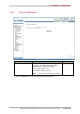
Field Action Default
value
Obtain DNS info from a
WAN interface
Check the box to obtain DNS server addresses
automatically, and select the desired interface in
the list WAN Interface selected.
Checked
Use the following Static
DNS IP address
If you check this box, you must enter DNS
server addresses.
Not
checked
Primary DNS server
Enter a primary DNS server address.
-
Secondary DNS server
Enter a secondary DNS server address.
-
• Click on the Next button to continue configuring the remote network (WAN) in PPPoA
mode.