
Operation Manual




5 - Information / Configuration
SAGEM F@st™ 1704 Reference Manual - 253272861-A Page 5-31
Sagem Communications SAS document. Reproduction and disclosure prohibited
Field Action Default value
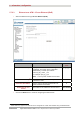
Obtain DNS info from a
WAN interface
Check the box to obtain DNS server addresses
automatically, and select the desired interface in
the list WAN Interface selected.
Checked
Use the following Static
DNS IP address:
If you check this box, you must enter DNS server
addresses.
Not checked
Primary DNS server
Enter a primary DNS server address.
-
Secondary DNS server
Enter a secondary DNS server address.
-
• Click on the Next button to continue configuring the remote network (WAN) in IPoE mode.