
Operation Manual




5 - Information / Configuration
Page 5-16 SAGEM F@st™ 1704 Reference Manual - 253272861-A
Sagem Communications SAS document. Reproduction and disclosure prohibited
5.6 Internet Connection
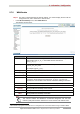
Object: This menu lets you enter your connection ID and your connection password.
• Select the Internet Connection menu.
The following screen opens:
Field Action Default
value
PPP Username
Enter your connection ID.
This information is provided to you by your Internet Service
Provider (ISP).
-
PPP Password
Enter your connection password.
This information is provided to you by your Internet Service
Provider (ISP).
-
Important
If the message "There is no ppp connection" appears, this means that the
remote network (WAN) parameters have not been filled in (see
subsection 5.7.2 - Advanced Setup > WAN Service).
Disconnect
When you click on the button Disconnect:
• Internet access is no longer possible.
• In the supervision box, the “Internet” indicator switches from green to yellow and the
message “Connected” is replaced by “Waiting for ISP”.
• On the front panel of the router, the indicator @ goes out.