
Operation Manual




2 - Description and connection of router
Page 2-4 SAGEM F@st™ 1704 Reference Manual - 253272861-A
Sagem Communications SAS document. Reproduction and disclosure prohibited
2.1.2 LEDs
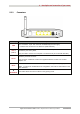
The following table describes the meaning of the LEDs on the front panel of the router:
LED Status Meaning
Off
Power Off
Green
Power On
Power
Red
Router in rescue mode
Off
ADSL Down
Green steady
ADSL Up
ADSL
Green blinking
ADSL Synchronisation in progress
Off
• Power Off
or
• • The Internet account must be configured
Green steady
• The Internet account is configured
or
• Bridge mode
Green blinking
Tx/Rx traffic
Internet
Red
Invalid or unauthorised Internet account
Off
No link detected on the Ethernet port
Green steady
Ethernet port has detected a link with 100 Mbps device
LAN x
(1 to 4)
Green blinking
Tx/Rx traffic at 100 Mbps
Off
Wi-Fi deactivated
Green steady
WI-Fi activated
WLAN
Green blinking
Wi-Fi Tx/Rx