
Operation Manual




5 - Information / Configuration
SAGEM F@st™ 1704 Reference Manual - 253272861-A Page 5-123
Sagem Communications SAS document. Reproduction and disclosure prohibited
5.10.6 Update Software
Object: This menu lets you update the latest version of the router software.
• In the Management menu, select Update Software.
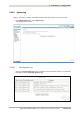
The following screen opens:
Proceed as follows to update your router's software version:
• Enter the path then the name of the software version file,
or
• Click on the Browse button and select the path then the software version file,
• Click on the Update Software button to update the software version.
Note
The process takes around 2 minutes.
The application of a new software version for the router does not modify
the current configuration at all.
Important
Throughout the download procedure (up to five minutes), you must:
- not power down the router
- not disconnect from the ADSL line.