
Operation Manual




5 - Information / Configuration
Page 5-122 SAGEM F@st™ 1704 Reference Manual - 253272861-A
Sagem Communications SAS document. Reproduction and disclosure prohibited
5.10.5 Access Control
This menu contains the following three sub menus:
• Passwords (see subsection 5.10.5.1).
5.10.5.1 Passwords
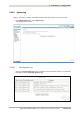
• In the Management menu, select Access Control then Passwords.
The following screen opens:
Field Action
User Name
Select a user name from the scroll down list:
• Admin
• Support
• User
Note: This list is established in increasing order of restriction.
Old Password
Enter your old password
New Password
Enter your new password
Confirm Password
Confirm your new password
Note
The password is a string of a maximum of 16 alphanumerical characters.