
Operation Manual




5 - Information / Configuration
Page 5-72 SAGEM F@st™ 1704 Reference Manual - 253272861-A
Sagem Communications SAS document. Reproduction and disclosure prohibited
Add
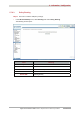
• Click on the Add button to display the following screen:
Field Action
Policy Name
Enter the policy name.
Physical LAN Port
Select Blank or the interface of your choice (ENET(1-4) or
wlan0) from the scroll down list.
Source IP
Enter a “Source” IP address
Use Interface
Select the interface you want to use from the scroll down
list (pppoa_0_8_35 for example).
Default Gateway
Enter the default gateway IP address.