
Operation Manual




5 - Information / Configuration
Page 5-68 SAGEM F@st™ 1704 Reference Manual - 253272861-A
Sagem Communications SAS document. Reproduction and disclosure prohibited
5.7.9 Routing
This menu contains 3 sub-menus:
• Default Gateway (see subsection 5.7.9.1)
• Static Route (see subsection 5.7.9.2)
• Policy Routing (see subsection 5.7.9.3)
• RIP (see subsection 5.7.9.4)
• IPv6 Static Route (see subsection 5.7.9.5)
5.7.9.1 Default Gateway
Object: This menu is used either to allocate dynamically a default gateway address to the
router from a PVC or to enter an address or choose an interface.
• In the Advanced Setup menu, select Routing then select Default Gateway.
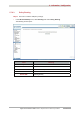
The following screen opens:
Field Action
Select a preferred wan
interface as the system
default gateway
Select the interface you want to use from the scroll down list
(pppoa_0_8_35 for example).
Select a preferred wan
interface as the system
default IPv6 gateway
Select the interface you want to use from the scroll down.