
Operation Manual




5 - Information / Configuration
SAGEM F@st™ 1704 Reference Manual - 253272861-A Page 5-67
Sagem Communications SAS document. Reproduction and disclosure prohibited
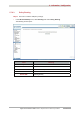
Field Action
Traffic Class Name
Enter a name for the traffic class you want to create.
Rule Order
Select from the scroll down list:
• Blank
• Last
• Number: Number allotted by the system to the
existing rules
Rule Status
Select from the scroll down list:
• Disable: QoS disabled for this static class rule
• Enable: QoS enabled for this static class rule
Class Interface
Select from the scroll down list:
• Local
• eth0
• wl0
Ether Type
Select from the scroll down list:
• IP
• ARP
• IPv6
• PPPoE_DISC
• PPPoE_SES
• 8865
• 8866
• 8021Q
Source MAC Address
Enter a "Source" MAC address.
Source MAC Mask
Enter a "Source" MAC mask.
Destination MAC Address
Enter a "Destination" MAC address.
Destination MAC Mask
Enter a "Destination" MAC mask.
Assign Classification Queue
Select from the scroll down list:
• Blank
• Number: Priority number and associated queue
number, defined by the system starting from the
“Queue Precedence” (see subsection 5.7.8.1).
Mark Differentiated Service Code
Point (DSCP)
Select the type of Differentiated Services Code
Point (DSCP) mark to be allocated (6-bit coding)
from the scroll down list.
Default to CS7: 000000 to 111000
Mark 802.1p priority
Select Blank or a priority value between 0 and 7
from the scroll down list.
Tag VLAN ID
Enter a value from 0 to 4094.