
User's Manual




39
Using BIOS Setup Utility
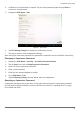
4. Tap USB 2.0 from the menu list. USB 2.0 is now enabled for the device.
Figure 54. Advanced > Miscellaneous Configuration
Step 4: Advanced > Miscellaneous Configuration
Save the Settings
After you configure BIOS, you will need to save the settings.
1. Navigate to APP Menu > Exit and tap Exit Saving Changes.
Figure 55. Exit the BIOS Utility
2. A prompt display, tap Yes to save the configuration.
The BIOS settings are configured and the Windows 7 operating system can be installed.