
User's Manual




37
Using BIOS Setup Utility
Due to the device’s fast boot up and boot down time, there is only a small time frame of a few
seconds between the release of the Power button and the opportunity to press the Windows Home
key.
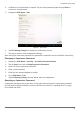
The App Menu displays.
Figure 51. BIOS Setup Utility: App Menu Screen
Installation an Operating System
Setting Up a Windows 7 Installation Environment
There are several settings in BIOS that must be modified before you can install a Windows 7
operating system.
Use the following guidelines to prepare the BIOS environment:
Ste
p
1: Enable CSM Support
1. Access the BIOS Setup Utility, see “Accessing the BIOS Setup Utility” on page 37.
2. Navigate to APP Menu > Main > Boot Features.
3. Locate the CSM Support setting and tap the drop-down menu to display the options.