
User's Manual




21
Getting Started
ON OFF
3.0
2.0
SD
3. The microSD card has a beveled edge. Align the microSD card with the slot making sure that
the corners match.
4. Insert the microSD card and press it in until an audible click sounds.
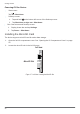
Figure 18. Installing the MicroSD
Card
5. Close the left I/O compartment cover. See “Closing the I/O Compartment Cover” on page
26.
Removing the MicroSD Card
1. Open the left I/O compartment cover. See “Opening the I/O Compartment Cover” on page
25.
2. Locate the microSD slot in the left I/O parts.
Left view
MicroSD Slot
Figure 19. Left View: Locating the MicroSD Slot