
User's Manual




11
Introduction
Identifying the Device
Overview
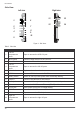
Table 2. Overview
Figure 1. Overview
No Item
Description
1 Left view See “Side View” on page 14 for further information.
2 Front view See “Front View” on page 12 for further information.
3 Rear view See “Rear View” on page 15 for further information.
4 Right view See “Side View” on page 14 for further information.
5
Rubber bumpers
Easy to grip rubber bumpers enable the rugged tablet to withstand
shocks and drop for use in demanding environments.
6 Bottom view See “Bottom View” on page 13 for further information.