
Quick Start Guide
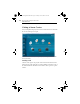
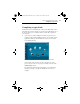
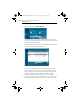
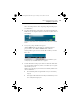
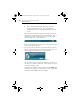
Table Of Contents

Roxio Creator Getting Started Guide
www.roxio.com
18
2 When you are ready, click Burn Data Disc.
In the illustration above, a link for the Burn Data Disc project
appears in the suggested projects area near the top of the window
and again in the Create section.
The application window changes again. It now displays everything you
need to set up your project and burn a disc.
Burn Data Disc project window with files added.
As you can see, the Burn Data Disc project is built into the main
Creator application window. Some projects are built into the main
window; others open in a separate window. Many components that
open in separate windows have names you may know: MyDVD,
VideoWave, CinePlayer. They are all part of your Creator suite.
3 To begin a data disc project, insert a blank CD, DVD, or Blu-ray Disc
into your computer’s disc drive. (The project also allows you to add
C12_GettingStartedGuide.book Page 18 Tuesday, June 30, 2009 10:16 AM