
System information



May 2012 43 Version 1.0
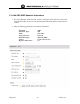
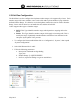
2. For each FXO line that is assigned to the URC server configuration, a phone number will
need to be assigned to the physical trunk port.
In this example, the FXO channel 3 and 4 are being used and allocated to the PBX system.
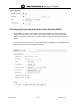
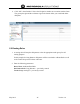
3. Select the each FXO line to be used in this trunk group and enter a unique phone num ber
for each line needed.
This number will be used for incoming routing as well as DN identification of that analog
trunk line.
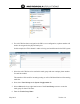
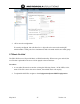
4. Next select Trunk Groups under System Configuration tab
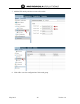
5. Select ADD on the lower right hand corner of the Trunk Groups screen to create the
trunk group for these FXO lines.
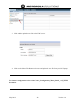
6. Enter the Trunk Group Name: