
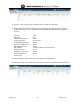
System information


May 2012 34 Version 1.0
4.13 TEAM VoWLAN PTT Configuration
1. In the TEAM VoWLAN application. Some basic configuration is required to setup the
WSM environment.
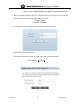
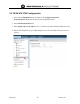
2. Login as admin, navigate to the Configuration Tab and Select WSM Policy to configure
the system setup.
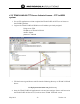
3. Then select System on the Configuration Menu.
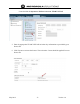
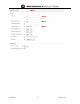
4. Enter the following parameters as minimum configuration for initial setup.
SIP Address of Record Domain Name: team.mot.com
Dispatch Service: yes
Group Call Service: yes
Text Messaging: yes
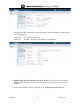
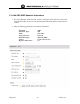
5. Next select the External Services screen.
6. Enter the following parameters as minimum initial configuration.
Primary AAA Server hostname: 10.1.1.20 (WSM IP Address)
Primary AAA Server Port: 1812 (default)