
System information


May 2012 32 Version 1.0
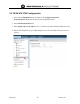
4.12 TEAM VoWLAN PTT Server Activate License – FTP to WSM
system
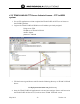
1. Use an FTP application or client to upload the TEAM VoWLAN PTT server license to
the NX/URC platform.
2. Login to the TEAM VoWLAN/WSM server IP address previously assigned
Using secure FTPs
IP Address of TEAM VoWLAN
userID =ftpuser
password = ind3adn
3. FTP the license.sig and license.xml file into the following directory on TEAM VoWLAN
Server:
/usr/deployment/activation/wsm_lic directory
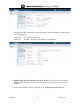
4. Once the TEAM VoWLAN application is activated, next navigate from a web browser in
the TEAM VoWLAN Server GUI, to the Activate TEAM VoWLAN screen.