
System information




May 2012 30 Version 1.0
4.10 TEAM VoWLAN PTT Service Installation Procedure
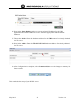
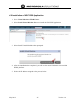
1. On the Virtual Machines Tab, click on the nx65xx menu under Management.
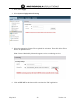
2. Select the TEAM VoWLAN Service and then select Install Virtual Machine button to
install the PTT services.
3. Once the TEAM VoWLAN service is installed. Make sure the services are operational
and notice the IP address, and Version of TEAM VoWLAN installed.
4.11 TEAM VoWLAN License Activation
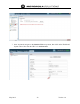
1. The Launch UI will not work until the TEAM VoWLAN application has been activated.
The launch UI brings up the Web UI to TEAM VoWLAN.
2. For the first time activation purposes of the TEAM VoWLAN application the WEBUI
needs to be manually entered into the browser to activate the license.