
System information




May 2012 28 Version 1.0
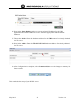
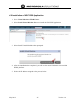
3. Next, Select Apply.
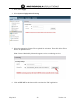
4. Select System Configuration/Licensing
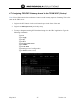
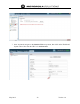
5. Select the appropriate License File to upload for activation. Then click Select File to
browse to upload from PC.
Note: License Obtained by Motorola support services or ordering services.
6. Click ACTIVATE on the bottom left to activate the URC application.