
System information




May 2012 25 Version 1.0
4.7 Assigning FXO/FXS Gateway board to the TEAM URC (Centro)
Note: You will also notice that code name Centro is used in many aspectrs of naming. This is the
same as the URC server.
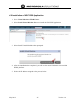
1. Login to the NX chassis via the serial console port in the front of the unit.
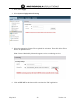
2. Login in as admin/password previously setup
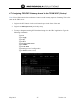
3. To setup a Sangoma Analog GW board and assign it to the URC Application. Type the
following commands.
Type en
Type config
Type self
Type slot 1
Type assign team-centro
Type commit
Type write mem
Type exit (get out of config mode)
Type reload (restart server)