
System information





May 2012 19 Version 1.0
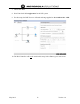
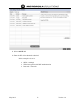
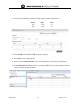
9. Next enter the following details for TFTP option 66 and OAP option 43:
Name Type Code
tftp ascii 66
oap ascii 43
10. Click Add Row for additional DHCP options required.
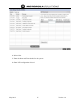
11. Select OK to save configurations
12. Always select Commit and Save to write configurations to the startup configuration.
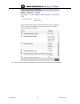
13. Under DHCP Server Policy, select the configured DHCP server policy being used in the
setup by double clicking the policy.