
System information


May 2012 10 Version 1.0
4.4 Initial Setup Wizard
Once you login to the URC platform via the web browser for the first time you will be prompted
to use the initial setup wizard to help pre-configure the WING and network applications to be
used on this installation.
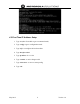
1. Select Start Wizard
2. Once Logged in for the first time. Select Initial Setup Wizard (NX….)
3. Enter the System Information such as administrator password/location/Time Zone and
Country Code Specification
4. Next Select
Enable HTTP
HTTPS
Telnet or SSH for remote management access.