
User manual

ROUTE 66 Mobile 8 Chicago 8000 - User Manual
94
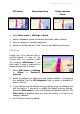
POI alarm Favourites alarm Safety cameras
alarm
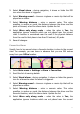
1. Select Main menu > Settings > Alarm.
2. Select a database (points-of-interest, favourites, safety camera).
3. Open a category (or several categories).
4. Select the bottom left icon (“bell” icon) to start defining your alarm.
POI Alarm
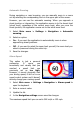
Specify how to be warned when a
point-of-interest is close to the
current road. For example, select
the category Attractions if you
don’t want to miss a museum or a
cinema located near the road.
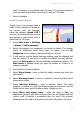
1. Select Main menu > Settings
> Alarm > Points-of-
interest.
2. Select the category (or categories) you intend to define. 15 categories
are available. Use the All categories item to select or deselect all
items in the list.
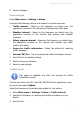
3. If you want to use the default warning settings, save the changes and
exit the section. If you want to modify the default warning settings,
select the Main menu to open the detailed configuration section. The
Main menu is disabled when you open the section or if there is no
category selected.
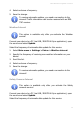
4. Scroll the list of warning details.