
User manual

ROUTE 66 Mobile 8 Chicago 8000 - User Manual
91
Automatic Zooming
During navigation or map browsing, you can manually zoom in or zoom
out by selecting the corresponding icons in the upper part of the screen.
However, you can use the automatic zooming. When you approach a
street junction or intersection, the application zooms in to the lowest level
(street level), regardless of the current zoom level; after you cross the
street junction, the application zooms out to the initial zoom level.
1. Select Main menu > Settings > Navigation > Automatic
zooming.
2. Select an option:
On – if you want the application to automatically zoom in when
approaching street junctions.
Off – if you want to select the zoom level yourself; the zoom level you
select is preserved during the entire trip.
3. Save the changes.
Alarm Speed
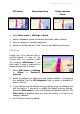
This option is just a personal
preference. It warns you
acoustically and visually that you
reached a speed limit you
previously set as too high.
However, it cannot physically limit
your driving speed; it isn’t an in-car
speed control system and it doesn’t
actively change your cruising speed!
1. Select Main menu > Settings > Navigation > Alarm speed to
open the keyboard.
2. Enter a numeric value.
3. Update the list.
4. In the Navigation settings screen save the changes.
The maximum speed limit you can set is 300 km/h or 155 mph.