
User manual


ROUTE 66 Mobile 8 Chicago 8000 - User Manual
89
Navigation Settings
Set your navigation preferences.
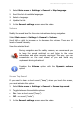
1. Select Main menu > Settings > Navigation.
2. Scroll the list of available options.
3. Select an option and open the corresponding submenu.
Travel mode
Select the method of travelling, or how to reach the final destination.
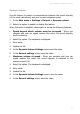
1. Select Main menu > Settings > Navigation > Travel mode.
2. Select to toggle between the following options:
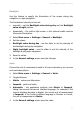
Fastest (car) – travel by car and use the fastest route to destination.
Shortest (car) – travel by car and use the shortest route to
destination.
Fastest (lorry) – travel by lorry and use the fastest route to
destination.
Shortest (lorry) – travel by lorry and use the shortest route to
destination.
Pedestrian – walk to your destination. Only the 2D perspective is
available in this travel mode.
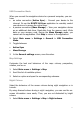
3. In the Map settings save the changes.
Certain speed limits or access restrictions are imposed on
heavy vehicles (lorries). Thus, for the same departure location
and destination location, the car route can be different than
the lorry route (meaning different waypoints, length of trip,
travel time, speed limits).