
User manual

ROUTE 66 Mobile 8 Chicago 8000 - User Manual
77
from the online shop: different languages, dialects, male / female,
famous actors / actresses, funny, etc.
Select Main menu > Extras > Voices.
Refer to Buying and Downloading Content via ROUTE 66 SYNC
chapter for details regarding the downloading, activating, buying or
subscribing to digital content or services.
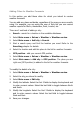
Changing the Language of the Voice Instructions
If the voice instructions are not
spoken in the language you prefer,
you can pick a different language.
1. Select Main menu > Extras
> Voices.
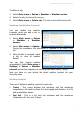
2. Scroll the list of available
voices. They are listed
alphabetically and in pairs (male voice, female voice).
3. Select a voice and load it. From now on, this voice will be used for all
driving instructions.
During navigation and for safety reasons, we recommend you
to keep the sound switched on and listen to the voice
instructions and other acoustic warnings! This way, you can
concentrate on the road ahead of you and avoid any
unpleasant driving situations!
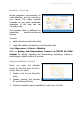
Colour Schemes - Overview
Use various colour schemes (themes) to change the overall look of the
map (solid areas, streets, etc.) during map browsing or navigation. Select
Main menu > Extras > Colour schemes.
Refer to Buying and Downloading Content via ROUTE 66 SYNC
chapter for details regarding the downloading, activating, buying or
subscribing to digital content or services.
You can also set this option in the Settings > Map settings > Colour
scheme section.