
User manual

ROUTE 66 Mobile 8 Chicago 8000 - User Manual
76
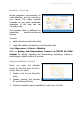
Travel Guides - Overview
During navigation or before you visit new places, it’s useful to know a few
things about local accommodation, transport and entertainment.
First download and then read the Lonely Planet
TM
travel guides.
Select Main menu > Extras > Travel guides.
Refer to Buying and Downloading Content via ROUTE 66 SYNC
chapter for details regarding the downloading, activating, buying or
subscribing to digital content or services.
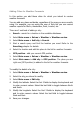
Using the Travel Guides
1. Select Main menu > Extras > Travel guides.
2. Scroll the list of travel guides for different regions / countries / cities.
3. Select a travel guide and open it.
4. When you open a travel guide, the application behaves like a web
browser.
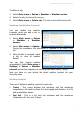
The following content can be found in a travel guide: contact details and
statistics, photo slideshow, culture, history, environment, politics.
Voices - Overview
During navigation, you have access to two types of instructions:
Visual instructions: navigation bar, driving directions, route
description, progress bar, GPS information, trip information, speed
alarm, POI alarm.
Voice instructions: for each change of direction (“driving turn”), a
driving instruction is spoken in the preferred language. The number of
languages available on your device depends on the country or region
of purchase, but includes at least a pair (male voice and female voice
in the default voice of the device). You can also download other voices