
User manual

ROUTE 66 Mobile 8 Chicago 8000 - User Manual
73
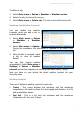
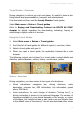
To delete a city:
1. Select Main menu > Extras > Weather > Weather service.
2. Select the city you intend to remove.
3. Select Main menu > Delete city. The city is removed from the list.
Updating the Weather Forecast
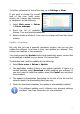
You can update the weather
forecasts when you add a city or
anytime afterwards.
1. Select Main menu > Extras
> Weather > Weather
service.
2. Select Main menu > Update.
During this procedure, the information is updated for all cities in the
list.
3. After all data is received, select
a city to view all weather
details.
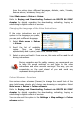
You can also receive updates
automatically. Select Main menu >
Settings > Extras > Weather
interval and set the frequency of receiving new data (hourly / daily).
Now you have on your device the latest weather forecast for your
favourite cities.
Weather Reports
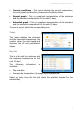
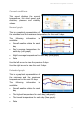
There are 5 different weather reports for each city:
Today - This report displays the minimum and the maximum
temperature, the comfort value, the wind speed and direction, the UV
and precipitation values.
Day list - This is a list with the minimum and the maximum
temperature for the next 15 days.