
User manual

ROUTE 66 Mobile 8 Chicago 8000 - User Manual
72
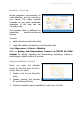
Adding Cities for Weather Forecasts
In this section you add those cities for which you intend to receive
weather forecasts.
You can add any place worldwide, regardless of the map you are currently
using. For example, you are using the map of Italy but you can receive
weather reports for Berlin, Amsterdam, Paris, London, etc.
There are 2 methods of adding a city:
Search - search for a location in the available databases.
1. Select Main menu > Extras > Weather > Weather service.
2. Select Main menu > Add city > Search.
3. Start a search query and find the location you need. Refer to the
Searching
chapter for details.
4. Select the location and add this place to the list for weather forecasts.
GPS position - add your current GPS position.
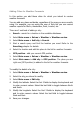
1. Select Main menu > Extras > Weather > Weather service.
2. Select Main menu > Add city > GPS position. The place you are
right now (GPS position) is added to the list for weather forecasts.
To modify the details of a city:
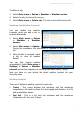
1. Select Main menu > Extras > Weather > Weather service.
2. Select the city you intend to modify.
3. Select Main menu > Edit city.
4. Modify the latitude. Select the first 3 fields to display the keyboard and
to enter numeric values. Select the last field to toggle between North
and South.
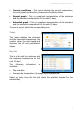
5. Modify the longitude. Select the first 3 fields to display the keyboard
and to enter numeric values. Select the last field to toggle between
West and East.
6. Save your changes.