
User manual

ROUTE 66 Mobile 8 Chicago 8000 - User Manual
71
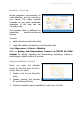
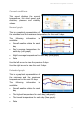
Weather - Overview
During navigation, map browsing, or
route planning, you can receive on
your device the latest weather
forecasts for any place worldwide,
regardless of the map you are
currently using.
The weather data is gathered by
specialized weather-monitoring
centres.
You can:
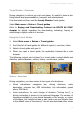
build a list of your favourite cities.
check the weather forecast for your favourite cities.
Select Main menu > Extras > Weather.
Refer to Buying and Downloading Content via ROUTE 66 SYNC
chapter for details regarding the downloading, activating, buying or
subscribing to digital content or services.
Using the Weather Service
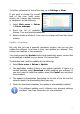
When you open the weather
service for the first time, the list is
empty. Now you must:
1. Create a list of your favourite
cities.
2. Update (receive) the forecast
for your favourite cities.
3. Check the weather reports available for each city in the list.