
User manual

ROUTE 66 Mobile 8 Chicago 8000 - User Manual
69
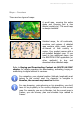
Safety Cameras - Overview
During navigation, you will drive
through road sections with different
speed limits or other traffic control
methods (crosswalks, traffic lights,
weight / height control, etc.). If you
know in advance which those
sections are, you can better plan
your trips.
The Safety Cameras service monitors, collects and sends to your device all
known traffic control data.
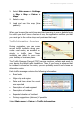
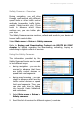
Select Main menu > Extras > Safety cameras.
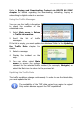
Refer to Buying and Downloading Content via ROUTE 66 SYNC
chapter for details regarding the downloading, activating, buying or
subscribing to digital content or services.
Using the Safety Cameras
The information provided by the
Safety Cameras Service can be used
in two different ways:
during navigation - you can be
warned in advance that there
are traffic control devices or
speed limit road segments.
during map browsing - you can
check in advance which are the
traffic control devices or speed
limit road segments. Thus, you
can plan your trips by taking
into account these limitations
and restrictions.
1.
Select Main menu > Extras >
Safety cameras.
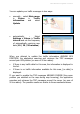
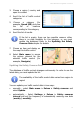
2. Scroll the list of services for different regions / countries.