
User manual

ROUTE 66 Mobile 8 Chicago 8000 - User Manual
67
Refer to Buying and Downloading Content via ROUTE 66 SYNC
chapter for details regarding the downloading, activating, buying or
subscribing to digital content or services.
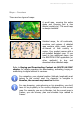
Using the Traffic Messages
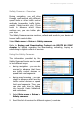
You can use the traffic information
to check the condition of the
calculated route.
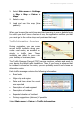
1. Select Main menu > Extras
> Traffic information.
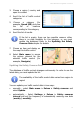
2. Scroll the list of traffic
messages.
If the list is empty, you must update the database! Refer to the Updating
the Traffic Data chapter for
details.
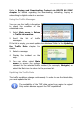
3. Select a message.
4. Display the incident on the
map.
5. You can either select Main
menu to access the options
relevant for the selected traffic incident (for example, Navigate) or
select the Back icon to return to the previous list.
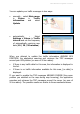
Updating the Traffic Data
The traffic conditions change continuously. In order to use the latest data,
you must update the list.
The availability of the TMC data varies from region to region!
Only certain devices support the TMC capabilities!