
User manual

ROUTE 66 Mobile 8 Chicago 8000 - User Manual
66
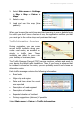
1. Select Main menu > Settings
> Map > Map or Extras >
Maps.
2. Select a map.
3. Load and use this map (blue
padlock).
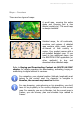
When you browse the world map and start zooming in over a detailed map
for which you don’t have a license of use, the application notifies you that
you must go to the online shop and purchase that map!
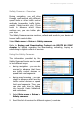
Traffic Information - Overview
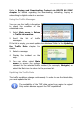
During navigation, you can come
across traffic incidents along your
route: road works, an accident or
simply a traffic jam. These
incidents can affect or even ruin
your holiday or business plans.
The Traffic Message Channel (TMC) service monitors, collects and sends to
your device the latest traffic conditions. Thus, if you know in advance that
an incident is ahead on the route, you can probably avoid it and choose an
alternative route.
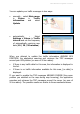
Each traffic message contains the following information:
Road code
Major city and region
Date and time when the event
was reported
Description of road segment
Description of incident
Expected duration of incident
Driving suggestions (detours) if possible
Select Main menu > Extras > Traffic information.