
User manual



ROUTE 66 Mobile 8 Chicago 8000 - User Manual
59
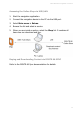
Accessing the Online Shop via USB/LAN
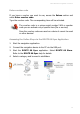
1. Start the navigation application.
2. Connect the navigation device to the PC via the USB port.
3. Select Main menu > Extras.
4. Browse the list and select a service.
5. When you are inside a section, select the Shop list. It contains all
items you can download and buy.
Buying and Downloading Content via ROUTE 66 SYNC
Refer to the ROUTE 66 Sync documentation for details.