
User manual



ROUTE 66 Mobile 8 Chicago 8000 - User Manual
58
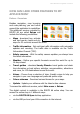
Enter voucher code
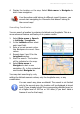
If you have a voucher you want to use, access the Extras section and
select Enter voucher code.
Type the voucher code. The corresponding item will be activated.
The voucher code is a unique serial number! With a voucher
code you can activate only a specific item (file or service)!
Once the voucher code was used on a device it cannot be used
on other devices!
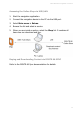
Accessing the Online Shop via the ROUTE 66 Sync Application
1. Start the navigation application.
2. Connect the navigation device to the PC via the USB port.
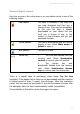
3. Start the ROUTE 66 Sync application. Select ROUTE 66 Store.
Refer to the ROUTE 66 Sync help for details.
4. Select a category and browse its subfolders.