
User manual



ROUTE 66 Mobile 8 Chicago 8000 - User Manual
53
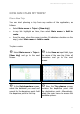
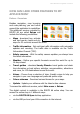
In the Set destination
screen, select the database you
need and search for the destination
point. Add the destination point to
this trip.
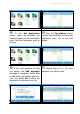
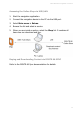
Now, the Trip planner screen
contains the departure point and the
destination point. Go to the next
screen.
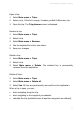
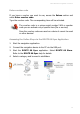
If the route contains at least
two places, the Add waypoint
message is displayed. Select Yes
to add other intermediary places to
your trip. Select No to allow the
application to calculate your trip.
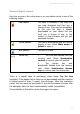
Repeat steps 5 to 7 for each
waypoint you want to add.