
User manual

ROUTE 66 Mobile 8 Chicago 8000 - User Manual
47
Coverage for the other options - The results are physically located on an
area of 10 km radius around the reference location (destination, GPS
position, cursor position or departure).
4. The search action starts. A list of results is displayed. Scroll the list of
results and select an item.
5. Display the location on the map. Select Main menu > Navigate to
start a new navigation.
Searching the History Records
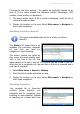
This option is disabled when the list is empty (no history
records)!
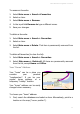
The History list keeps track of all
locations you previously searched
for and then you used for
navigation or map browsing.
The history records are listed as
they occur: the most recently used
item is the first in the list; the
oldest record is the last in the list. 100 records can be stored in this list.
When the list is completely full, the last item in the list is removed and a
new item is recorded.
1. Select Main menu > Search > History.
2. Scroll the list of results and select an item.
3. Display the location on the map. Select Main menu > Navigate to
start a new navigation.
Searching Favourites
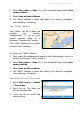
Your personal list of favourites
contains those locations you
frequently use for navigation, map
browsing or route planning. Instead
of searching for a place each time