
User manual

ROUTE 66 Mobile 8 Chicago 8000 - User Manual
46
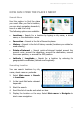
Searching Points-of-Interest
You can search locations by
selecting the POI category relevant
for your search.
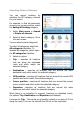
For example, to find all restaurants
around your current position, select
the Eating & Drinking category.
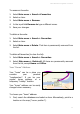
1. Select Main menu > Search
> Points-of-interest.
2. Select at least a category. Go to
the next screen.
You can select several categories.
To select all categories, select the
All categories checkbox. To
deselect all categories, select again
the All categories checkbox.
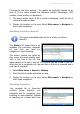
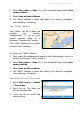
3. Select an option:
Trip – searches all locations
that are along the calculated
route and which match the
selected category.
Destination – searches all locations that are around the route
destination and which match the selected category.
GPS position – searches all locations that are around the current GPS
position and which match the selected category.
Cursor position – searches all locations that are around the current
cursor position and which match the selected category.
Departure –searches all locations that are around the route
departure and which match the selected category.
When there is no navigation in progress (meaning no calculated route),
the options Trip, Destination and Departure are disabled.
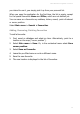
Coverage for Trip - The results are physically located on an area of 20 km
along the road (10 km on the left side and 10 km on the right side).