
User manual

ROUTE 66 Mobile 8 Chicago 8000 - User Manual
43
Saving Information
While using this navigation
software, you can:
save a section of the current
map [as an image].
save the current GPS position
[as a favourite].
save the cursor position [as a favourite].
save any list item [as a favourite].
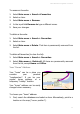
To save the cursor position: To save the GPS position:
1. In the contextual menu select
Save cursor position.
2. Select a method of saving the
cursor position. The following
options are available:
Save as favourite
Save as home address
Save as office address
3. In the case of a new favourite,
use the keyboard to write a
name.
4. Save the changes.
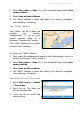
1. Select Main menu > Save >
Save GPS position.
2. Select a method of saving the
GPS position. The following
options are available:
Save as favourite
Save as home address
Save as office address
3. In the case of a new favourite,
use the keyboard to write a
name.
4. Save the changes.