
User manual

ROUTE 66 Mobile 8 Chicago 8000 - User Manual
34
Favourites Alerts
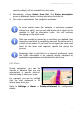
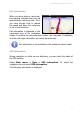
During navigation, you can be
warned in advance that you are
approaching one of your favourite
locations along or near your route.
For example, you can be notified
that your home address is 50
metres away from you.
Refer to Settings > Alarm > Favourites for configuration details.
Safety Cameras Alerts
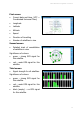
During navigation, you can be
warned in advance that you are
approaching a traffic control sector
along or near your route.
For example, you can be notified
that the next speed limit sector is
50 metres away from you.
Refer to Settings > Alarm > Safety cameras for configuration details.
Speed Alarm
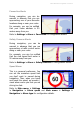
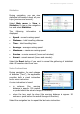
This is a personal preference. You
can set the maximum speed limit
you don’t want to exceed during
navigation. Thus, when you travel
and reach this speed, an acoustic /
visual alarm warns you that you are
driving too fast.
Refer to Main menu > Settings
> Navigation > Alarm speed and Main menu > Settings >
Navigation > Alarm type for configuration details.