
User manual

ROUTE 66 Mobile 8 Chicago 8000 - User Manual
33
current position) will be excluded from the route.
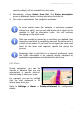
3. Alternatively, choose Select from list. The Route description
screen is displayed. Select a driving instruction from the list.
4. The route is recalculated. The navigation continues.
In some special cases (for example, a motorway segment
without any exits), you can set road blocks but it might not be
possible to find an alternative route. You will continue
navigating on the initial route.
After you avoided or passed by a road block you defined, that
temporary road block is completely removed. No reference to it
is kept on the device. If you want to use again the same road
block for the same road segment, specify this during the
journey.
Remember that a road block is a personal preference, while
the traffic information is an external service managed by
specialized organizations and distributed to all drivers.
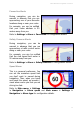
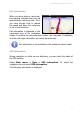
POI Alerts
During navigation, you can be
warned in advance that you are
approaching a specific point-of-
interest along or near your route.
For example, you can be notified
that the next restaurant is 50
metres away from you.
Refer to Settings > Alarm > Points-of-interest for configuration
details.